FixedModal
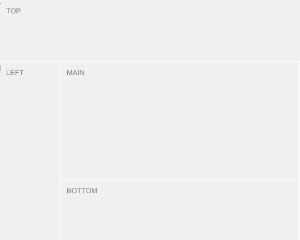
The content of the j-FixedModal is divided to 3 parts
- Works only with
+v17 - The component moves the content of this component under
<body>tag (because of positioning)
Configuration:
width {Number}modal max-widthif {String}condition for showing of the modal, it's compared with the value within ofpathreload {String}link to a global function and it's executed if the form is showingsubmit {String}link to a global function and it's executed if the submit button is pressedcancel {String}link to a global function and it's executed if the cancel button is pressedenter {Boolean}capturesenterkey automatically and performs submit (default:false)autofocus {Boolean/String}can focus an input.String===jQuery selectorfor the inputdefault {String}a short alias forDEFAULT(default, true)zindex {Number}can affect z-index (default:12)
Good to know:
The content of the j-FixedModal is divided to 3 parts: header, body and footer. Each part must be defined. The component adds CSS classes to each part, for example first div will contain ui-fixedmodal-header, second ui-fixedmodal-body and third ui-fixedmodal-footer.
This component supports dynamic evaluation of the content of <script type="text/html">. The example below contains a script with HTML and the component evaluates the content if the j-Modal will be displayed (only once).
<ui-component name="fixedmodal" path="path" config="config">
    <script type="text/html">
        A CONTENT
    </script>
</ui-component>