Folder
The component can render a content like file browser.
The component can render a content like file browser. path must be in the form e.g. Directory/Directory/File. Learn from example.
Configuration:
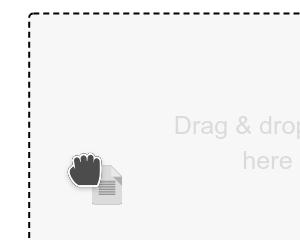
up {String}a label for Up button (default:..)delimiter {String}a delimiter for the path (default:/)root {String}a label for first item in breadcrumb (default:Root)scrollbar {Boolean}enables custom scrollbar (default:true)scrollbarY {Boolean}shows Y scrollbar always (default:false)delimiter {String}a delimiter for path (default:/)options {String}a path to methodfunction(item, el)(user must click on the right button)click {String}a path to variable or methodfunction(item)(user must click on the item)checked {String}a path to variable or methodfunction(checked_items, component)(user must check the checkbox)browse {String}IMPORTANT: a path to methodfunction(path, next(ARRAY), [item])which must return a content for the componentparent {String}optional, a container with fixed height, can bewindow. Default value:component.element()margin {Number}optional, a top/bottom margin together (default:0)drop {String}optional, a path to method which will be executed if a file will be drag&droppedkey {String}optional, a key name for creating of path (default:name)raw {Boolean}optional, disables HTML encodingname(default:false)- NEW:
contextmenu {String}optional, a path to methodfunction(item, el, e)(when a user displays the context menu)
function fn_browser(path, next, item) {

    // @path {String} paths divided according to the "config.delimiter"
    // @next {Function(Array)} importat: this function expects array with items
    // @item {Object} can be null

    var arr = [];

    // Object for array:
    // obj.name {String} a label/name
    // obj.checkbox {Boolean} enables checkbox (default: false)
    // obj.checked {Boolean} item will be checked
    // obj.icon {String} a icon for item
    // obj.type {Number} determines a type of item (1: directory, other: file)
    // obj.classname {String} adds a CSS class onto "label" element

    // Good to know:
    // Only directories can be drilled

    // Example:
    arr.push({ name: 'Node.js', checkbox: true, type: 1, icon: 'folder' });
    arr.push({ name: 'Client-Side', checkbox: true, type: 1, icon: 'folder' });

    next(arr);
    // next(array, noscroll);
}