InlineForm
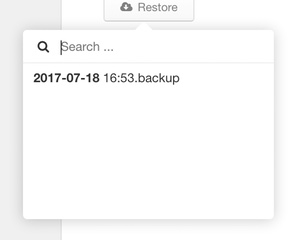
Inline form panel moved under the body and shown for a path value, with title, icon and reload hook, optionally hidden on outside click
- Works with Bootstrap
- The component moves the content of this component under
<body>tag (because of positioning)
Configuration:
title {String}form titlewidth {Number}form max-widthicon {String}Total icon withoutti-or the whole declaration e.g.ti ti-homereload {String}a link to a global function and it's executed if the form is showingsubmit {String}a link to a global function and it's executed if the submit button is pressedcancel {String}a link to a global function and it's executed if the cancel button is pressedhide {String}a link to a global function and it's executed if the form is hidingenter {Boolean}capturesenterkey automatically and performs submit (default:false)default {String}a short alias forDEFAULT(default, true)autohide {Boolean}enables auto-hide (default:true)autofocus {Boolean}performs auto-focus to nearest input (default:false)
Methods:
instance.show(opt)- shows the formopt.element {jQuery element}elementopt.align {String}can beleft(default),rightorcenteropt.offsetX {Number}offsetX (default:0)opt.offsetY {Number}offsetY (default:0)opt.position {String}can betop(default) orbottomopt.callback {Function}a user defined functioncallback(hide),hideattribute isfunction
instance.hide()- hides the form
Good to know:
New version of this component supports dynamic evaluation of the content of <script type="text/html">. The example below contains a script with HTML and the component evaluates the content if the j-InlineForm will be displayed (only once).
<div data---="inlineform">
    <script type="text/html">
        A CONTENT
    </script>
</div>